Which robotic arm do you need? From learning robotics to automating real tasks
From building your first arm to automating professional tasks. Find the one that fits your project.
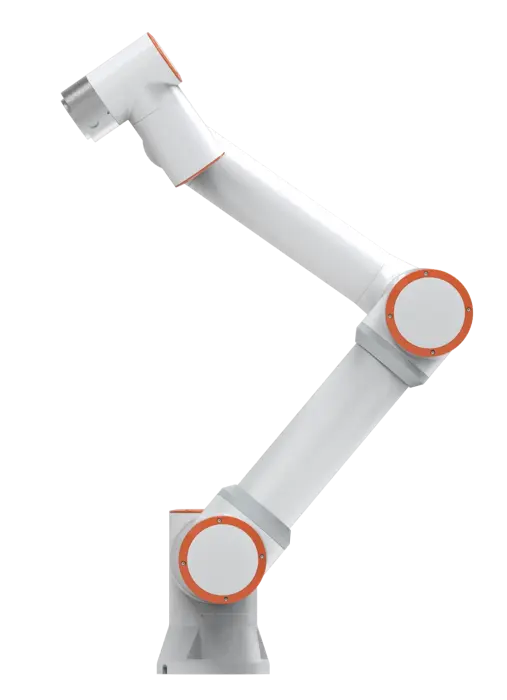
Do you want to learn how to control a robotic arm, experiment with artificial intelligence or automate repetitive work in your business? Although they all have joints and can move objects, there is a huge difference between an educational arm and one built for professional work.
The key is not buying the most advanced model, but identifying what you want to do with it.
1. Do you want to build your first robotic arm and learn how it works?
What you need: an educational assembly kit.
If you are just starting, assembling a simple arm lets you understand joints, servos and motion control without investing in professional machinery.
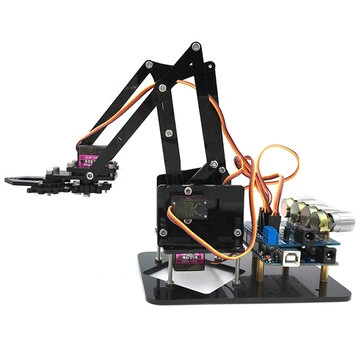
URUAV DIY 4DOF
- Acrylic structure with four degrees of freedom.
- Includes four servos, according to the commercial listing.
- Lets you experiment with basic movements and mechanisms.
Note: It is an educational project, not a production tool. Check which electronic components, controller and power supply you need to put it into operation.
View URUAV DIY 4DOF →2. Do you want to teach a robot to move objects using artificial intelligence?
What you need: an arm compatible with imitation learning.
One of modern robotics’ most interesting applications is teaching motions through human demonstrations instead of programming every path manually.
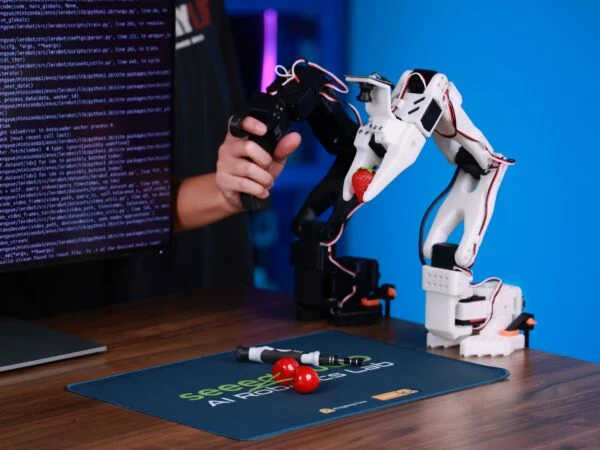
SO-ARM101 Pro
- Six-axis arm with an open architecture.
- Compatible with LeRobot, Hugging Face’s robotics ecosystem.
- Designed for manipulation, data collection and model-training experiments.
Note: Buying an arm does not mean receiving a fully autonomous AI system. Depending on the setup, demonstration work may require a second control arm, cameras and computing equipment.
View SO-ARM101 Pro →3. Do you want to develop complex motions and handle heavier objects?
What you need: an advanced research-and-development arm.
If you work with teleoperation, simulations or control algorithms, you need a platform with greater mechanical capacity and the freedom to experiment with its software.

reBot Arm B601-RS Bundle
- Six axes of motion plus a gripper.
- Stated 2.5 kg nominal capacity.
- Compatible with tools such as Python, ROS, LeRobot and Isaac Sim.
- Open hardware and software for development.
Note: It is a technical platform. Making use of its capabilities requires programming, setup and safety measures. Check which accessories and components are included with the version you select.
View reBot Arm B601-RS Bundle →4. Do you need to repeat movements in a lab or at a workbench?
What you need: a compact arm for desktop automation.
Placing small parts, running repetitive tests or interacting with laboratory equipment are examples of tasks where a programmable arm can save manual work.
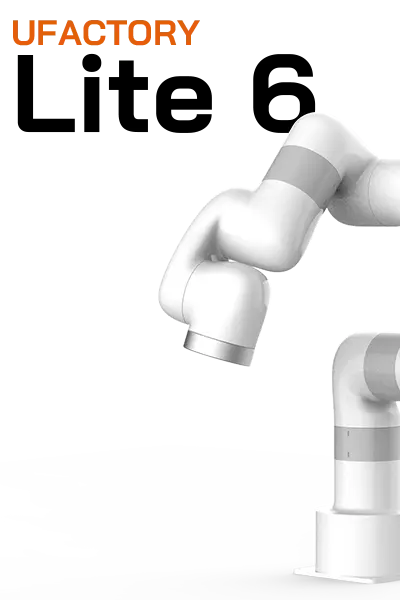
UFACTORY Lite 6
- Six axes and a 440 mm reach.
- Payload of up to 600 g.
- Programming through a graphical interface, Python, C++ and ROS.
- Compatible with gripping and suction accessories.
Note: Its payload is limited, and you also need to consider the weight of the gripper or tool. Integration with other equipment may require additional programming.
View UFACTORY Lite 6 →5. Do you want to automate tasks in a business or professional process?
What you need: a robotic arm built for commercial integration.
If you need to handle products, tend machines or repeat operations through a working day, you need to assess payload, reach, repeatability and safety.
FAIRINO FR5
- Six-axis collaborative robot arm.
- 5 kg nominal payload.
- 922 mm reach and stated ±0.02 mm repeatability.
- Programming through a teach interface or web application.
- Applications such as part handling, machine tending, light assembly and packaging.
Note: Although it is a collaborative robot, that does not mean it can automatically work alongside people without protective measures. The gripper, sensors, integration and risk assessment must be adapted to each application.
View FAIRINO FR5 →Before you buy, remember these four things
- Degrees of freedom. More joints allow more complex movements, but also increase control requirements.
- Payload and reach. Consider the object’s weight together with the gripper and the distance it must travel.
- Software. Check whether you can use Python, ROS, graphical tools or the environment you already know.
- Safety and integration. A programmable arm is not necessarily ready to operate unsupervised or share space with people.
Our recommendation
Start with the task, not the size of the robot. If you want to learn mechanics and control, a simple kit may be enough. To experiment with artificial intelligence, look for open platforms compatible with the research tools you plan to use.
If your goal is to automate a productive task, prioritize payload, reach, repeatability, technical support and ease of integration. And remember something important: a robotic arm does not automatically know what object to pick up or where to place it. To perform useful tasks, it needs instructions, programming and, in many cases, sensors or vision systems. You do not need an industrial robot to learn. But you should not expect an educational kit to replace a professional machine either.
Some links in this guide are affiliate links. Bot Army Shop may receive a commission at no extra cost to you.