Which robot do you need to learn robotics? From your first kit to AI projects
From your first kit to robots with sensors, computer vision and AI. Find where to start.
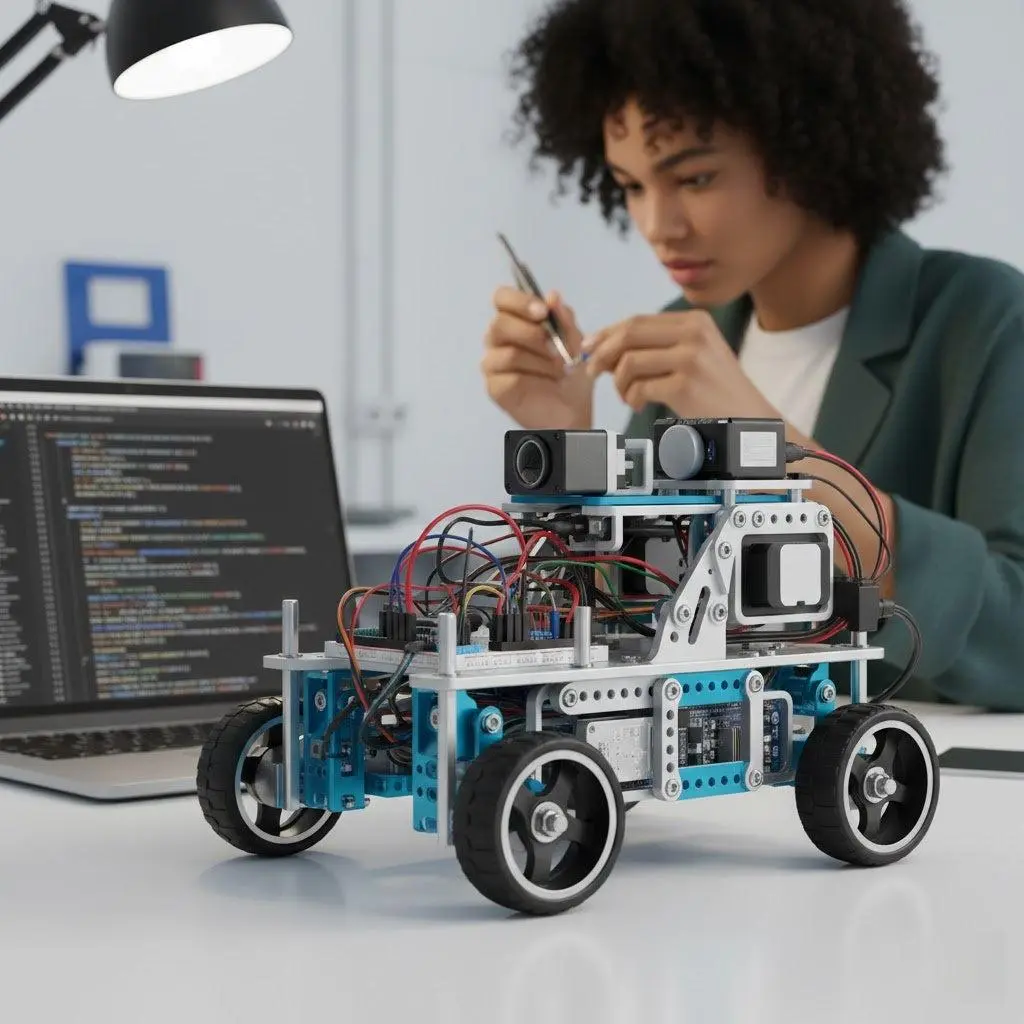
Do you want to build your first robot, learn to program sensors or experiment with artificial intelligence? You do not need to start with expensive equipment. There are simple kits for learning how motors work and advanced robots that can recognize objects, walk or explore their surroundings.
The key is choosing based on what you want to learn and how much you already know.
1. Have you never built a robot and want to start from scratch?
What you need: a simple kit for learning electronics and mechanics.
A two-wheel vehicle is an excellent introduction: you can understand how motors work, connect sensors and get your first creation moving.
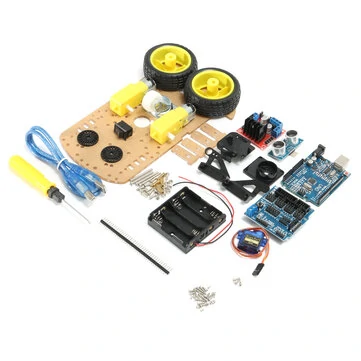
Geekcreit 2WD para Arduino
- Two-wheel chassis for assembly.
- L298N motor controller and components for basic projects.
- Lets you experiment with obstacle detection and path following, depending on the sensors installed.
Note: It requires assembly, wiring and programming. Batteries are not included; also check the tools and components in the package before buying.
View Geekcreit 2WD para Arduino →2. Do you want to learn to program a robot with Python?
What you need: a robot compatible with MicroPython.
If you already know programming basics, or want to learn them by building something physical, a mobile robot lets you turn instructions into movements and sensor responses.
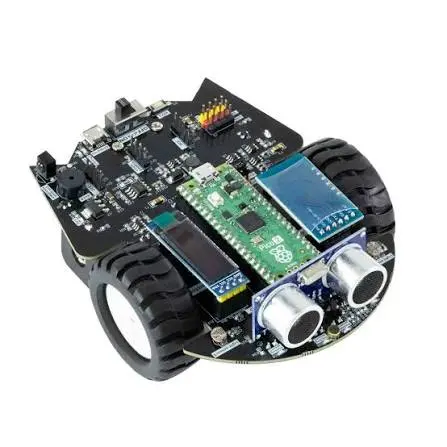
Yahboom Raspberry Pi Pico 2 Robot Car
- Compatible with MicroPython programming.
- Integrated sensors for developing different behaviors.
- Infrared or Bluetooth control and expansion possibilities.
Note: Some versions are sold without the Raspberry Pi Pico 2 board. Check that you select the correct package.
View Yahboom Raspberry Pi Pico 2 Robot Car →3. Do you want your robot to recognize objects and make decisions?
What you need: a kit with computer vision.
This is where a particularly interesting stage begins: using a camera to identify objects, recognize images or develop behaviors from what the robot detects.

Make-A-Robot Kit
- Kendryte K210-based vision module.
- Image-recognition and object-detection projects.
- Graphical programming and MicroPython compatibility.
- Educational material and expansion possibilities.
Note: Its AI functions depend on the hardware and compatible models. Do not expect the capabilities of a modern conversational assistant simply because it includes artificial intelligence.
View Make-A-Robot Kit →4. Do you want to experiment with cameras, sensors and the Internet of Things?
What you need: a programmable platform with connectivity.
A robot with ESP32 lets you explore how to combine programming, wireless communication and sensors. You can develop experimental monitoring, obstacle-detection or remote-control projects.
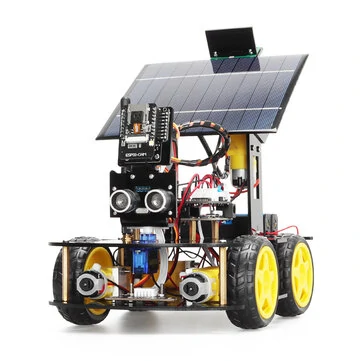
TSCINBUNY Solar ESP32 Robot Car
- Educational platform based on ESP32.
- Camera and ultrasonic sensor advertised by the seller.
- Features aimed at IoT projects.
- Solar power described in the commercial listing.
Note: Check which board, battery and accessories are included with the selected version. The presence of a solar panel does not guarantee continuous operation without another energy source.
View TSCINBUNY Solar ESP32 Robot Car →5. Do you want to discover how humanoid robots walk?
What you need: an articulated platform for experimenting with motion and balance.
Making a robot walk requires coordinating multiple motors, controlling poses and developing motion sequences. It is a very different challenge from programming a wheeled vehicle.

Fashionstar Atom-X 17-DOF
- Biped humanoid robot with 17 degrees of freedom.
- Open architecture and XIAO ESP32-S3 controller.
- Browser-accessible visual motion editor.
- Lets you experiment with poses, movements and locomotion algorithms.
Note: It is a development platform, not an autonomous humanoid ready to perform household tasks. Programming stable motions requires experimentation and technical knowledge.
View Fashionstar Atom-X 17-DOF →6. Do you want to step up to autonomous navigation and advanced robotics?
What you need: a platform compatible with ROS.
ROS is a software ecosystem used to develop robotic systems. It makes it possible to combine sensors, navigation, perception and control in much more complex projects.
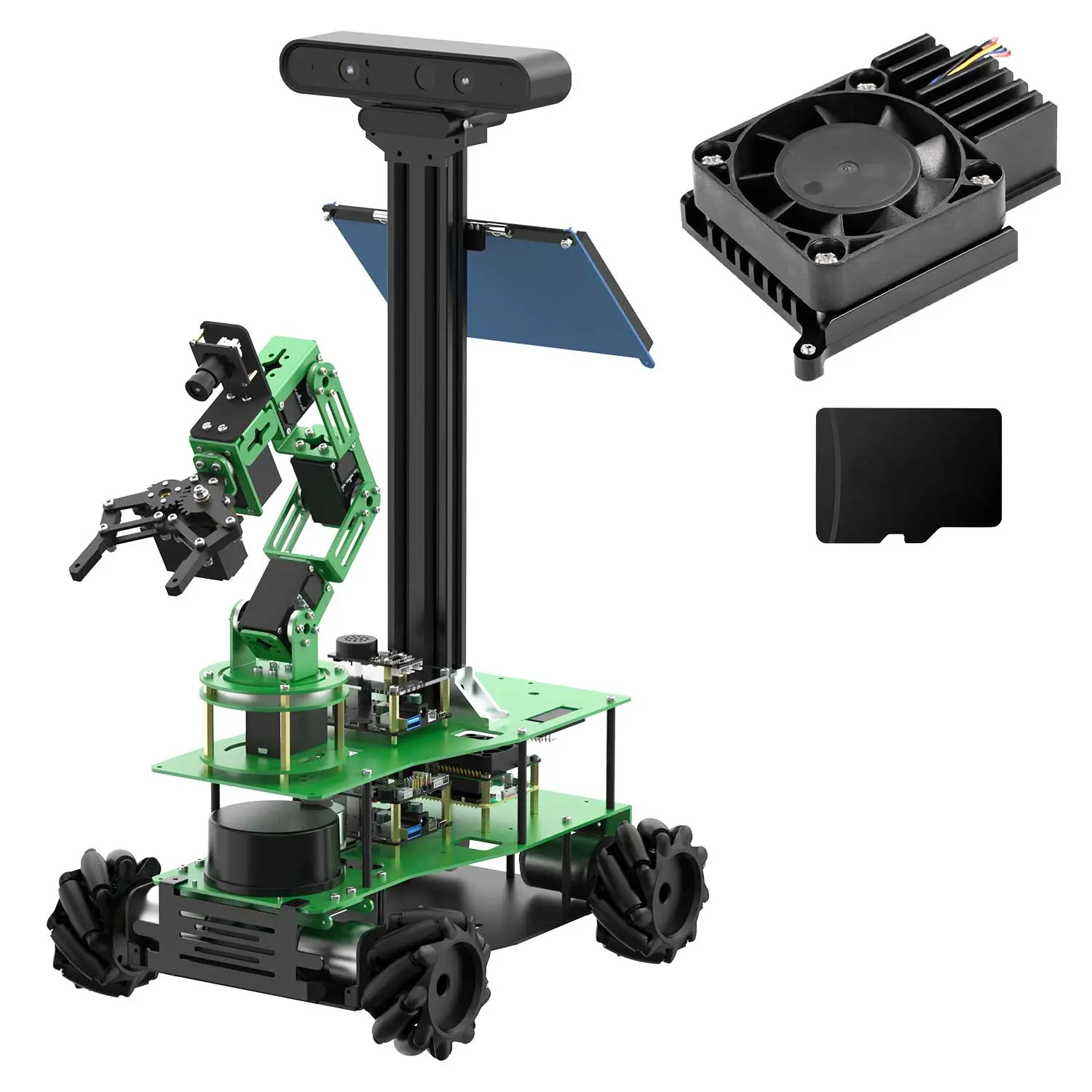
Yahboom ROSMASTER X3 Plus
- Omnidirectional mobile platform with mecanum wheels.
- LiDAR and depth-camera systems.
- Six-degree-of-freedom robotic arm.
- Configurations compatible with Raspberry Pi and NVIDIA Jetson.
- Mapping, navigation and robotic-control projects.
Note: It is not a beginner kit. It requires programming and robotics-systems knowledge. Check which computer is included with the selected version and which ROS distribution its tutorials use.
View Yahboom ROSMASTER X3 Plus →Before you buy, remember these four things
- Building is not the same as programming. Some kits focus on assembling components; others let you develop complex algorithms.
- Check what is in the box. Batteries, controllers, cameras and computers may be sold separately.
- Review the software and tutorials. An inexpensive robot without documentation can be harder to use than one with strong examples.
- Choose with the next project in mind. An expandable platform can stay useful longer, but you do not need to buy functions you do not yet know how to use.
Our recommendation
Start with what you want to learn, not how impressive the robot looks. If you have never built one, a simple vehicle is enough to discover the fundamentals. If programming interests you, explore MicroPython. For computer vision and connected sensors, look for kits that let you experiment with cameras and communication.
If you already have experience, an articulated robot or a ROS platform can open the door to much more ambitious projects. The important thing is not having the most advanced robot from day one. It is choosing one that lets you learn something new and keep building afterward.
Some links in this guide are affiliate links. Bot Army Shop may receive a commission at no extra cost to you.